
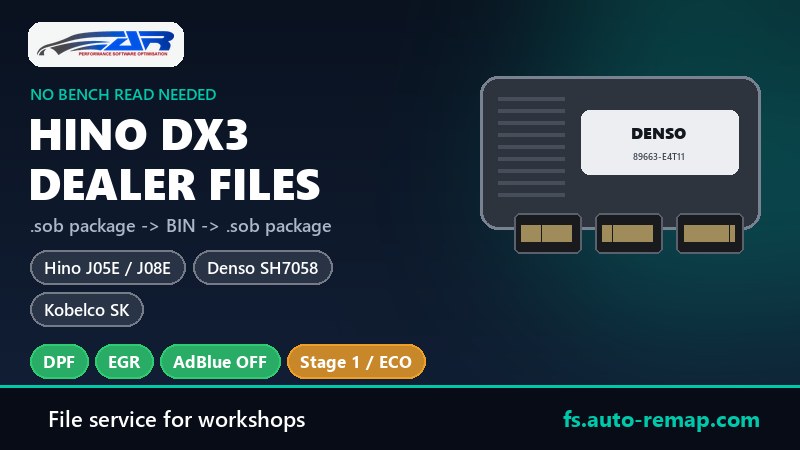
If your workshop has Hino Diagnostic eXplorer 3 (DX3), you already have everything you need to modify a Hino ECU - no bench read, no boot pins, no opening the unit. DX3 reads the engine control unit into a dealer package. Send us that package, we make the changes you order and rebuild it, and you write it back with the same DX3, exactly like a dealer software update.
This is our own development. A dealer package does not survive an ordinary tuning workflow, so we built a converter that takes it apart and puts it back together the way DX3 expects. Below is what is inside the package, why it normally breaks, and how to order.
Key facts
- For: Hino trucks and buses with Denso ECUs (J05E, J08E and other engines on Denso SH7058), and Kobelco machines with Hino engines.
- You send: the complete package DX3 produced when reading the ECU - all files, not only the firmware.
- You get back: the same package with the modified firmware, every other file untouched, ready to write with DX3.
- Options: DPF off, EGR off, AdBlue off, Stage 1 / ECO, selective DTC off - at the normal price for your ECU type, no extra charge for the DX3 format.
- Also available: the usual route with a bench or boot read - see the Hino ECU guide.
What is inside a DX3 dealer package
When DX3 reads or updates a Hino Denso ECU it works with a package - a compressed archive that holds several files. On a Hino J08E with a Denso SH7058 (ECU part number 89663-E4T11, for example) it looks like this:
| File | What it is | What we do with it |
|---|---|---|
Firmware .sob | The engine software in text form (Motorola S-record), about 3 MB of text for a 1 MB flash. Code and calibration live here. | Converted to a binary, modified, converted back. |
Secondary bootloader SBL_*.sob | A small program DX3 loads into the ECU's memory to do the flashing. | Not touched. |
Access key .key | The security access for that ECU type (for example 24 V Denso 7058). | Not touched. |
Manifest .ctl | Lists the files of the package and the exact size of every file. | Not touched - our firmware keeps the original size. |
Vehicle info .inf | VIN, engine, ECU part number. | Not touched. |
Why an ordinary tuning workflow breaks it
A tuning editor such as WinOLS can import the .sob firmware, but when it exports it back it writes the file its own way: different line lengths and record types, gaps filled, a memory flag that is not flash at all treated as data. The content may be right, but the file comes out a different size. DX3 compares every file against the sizes stored in the manifest and refuses to write a package that does not match. The result is a modified file that cannot be flashed with the dealer tool.
How our converter solves it
- We take the firmware out of your package and convert it into a plain binary image of the flash - the same image a bench read would give.
- The modification is done on that binary as on any Denso SH7058 file: DPF, EGR, AdBlue, Stage 1 or ECO, fault codes, checksum.
- The binary is written back into the original firmware file line by line: same records, same order, same line length, only the data bytes and each line's checksum change. The file keeps exactly its original size.
- The new firmware replaces the old one inside the original package; the bootloader, key, manifest and info files stay byte-for-byte as DX3 wrote them.
Tested both ways. Converting a dealer firmware to binary and back without changes reproduces the original file byte for byte - the proof that nothing else in the package moves when we make a real change.
How to order
- Read the ECU with DX3 and find the package it saved - the folder or archive with the firmware, bootloader, key, manifest and info files.
- Zip it as it is - do not rename, open or edit anything inside.
- At fs.auto-remap.com choose Hino (or Kobelco), the series, engine and ECU type, tick the options and upload the archive. Write "DX3 package" in the comment.
- You receive the package back in the same structure. Write it with DX3 the way you would write a dealer update, then clear the stored codes.
Keep the original package you read - it is your way back to stock at any time.
FAQ
Which Hino ECUs does this work for?
Hino Denso units whose DX3 package carries the firmware as a .sob file - for example the J08E with Denso SH7058 (89663-E4T11), other J05E / J08E trucks and buses on the same platform, and Kobelco machines with the same Hino engines. If your package looks different, send it anyway; we will check it and tell you before any work is charged.
Does it cost more than a normal file?
No. You pay the normal price for the options and the ECU type, the DX3 conversion is included.
Can I edit the binary myself and you only rebuild the package?
Talk to us - for workshops that do their own calibration we can rebuild a package from your modified binary, provided it comes from the same original package.
Do I still need KESS, K-TAG or another tool?
Not for this route. DX3 reads and writes. A bench or boot tool remains the backup if a write is interrupted, as with any flashing.
Have a DX3? Read the ECU, zip the package and upload it at fs.auto-remap.com.
File service for professional tuners and workshops.
Prices are indicative and taken from our current price list. Emission-related modifications are supplied for off-road, motorsport, export and research use only, in territories where such modification is permitted. It is the customer's responsibility to comply with local legislation.